
eSIM Setup Guide
Activate your Vell eSIM
Turn on your Vell eSIM line and get connected.
Haven't installed your eSIM yet? Start with the installation guide
This video demonstrates the complete iPhone installation and activation flow.
Step 1 of 6 — Activation
Find your eSIM in Settings
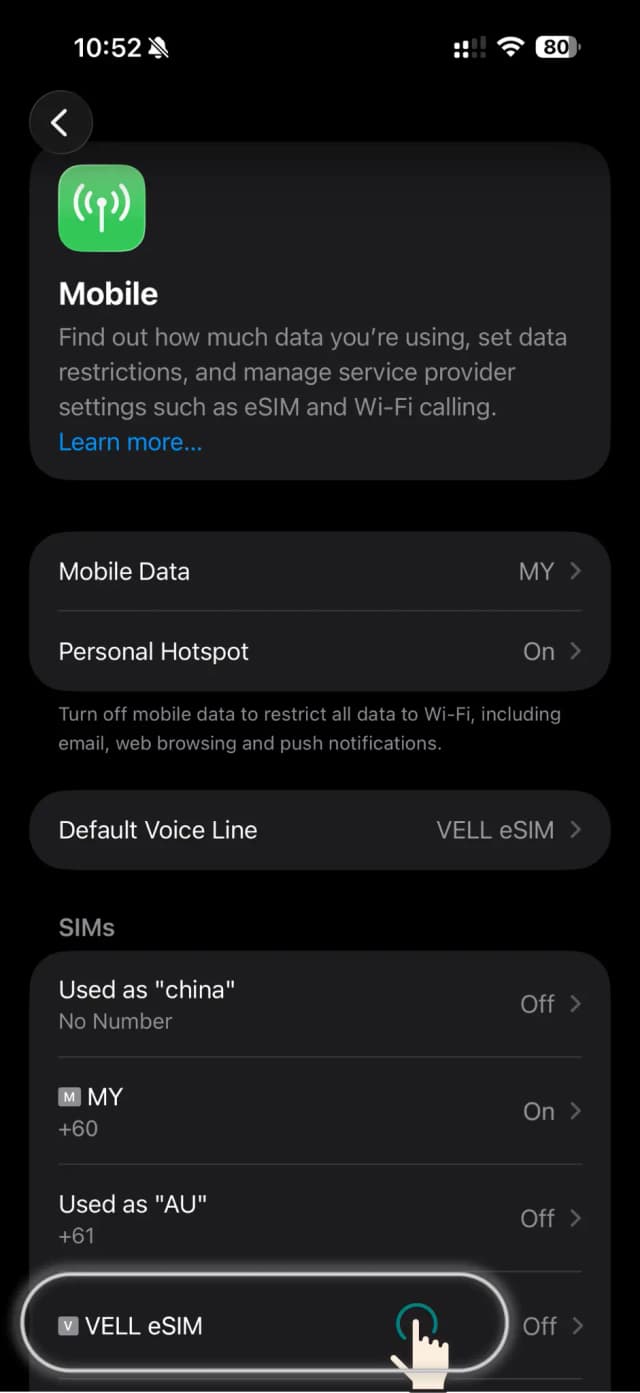
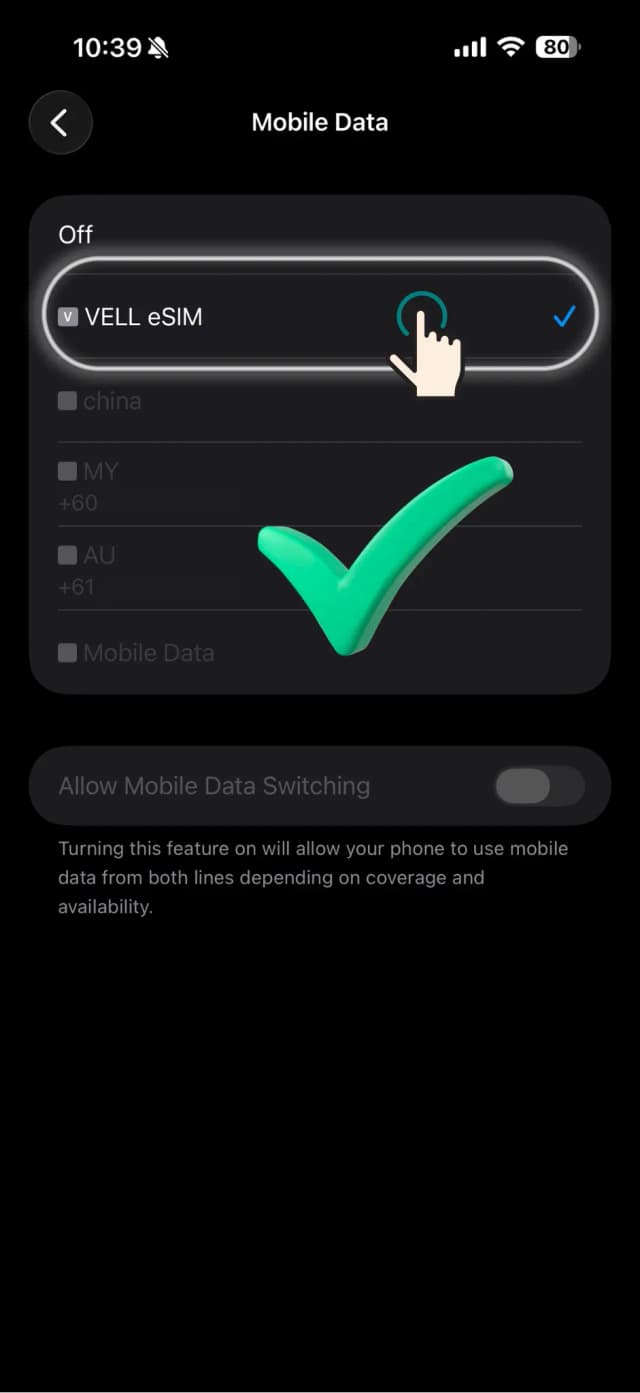
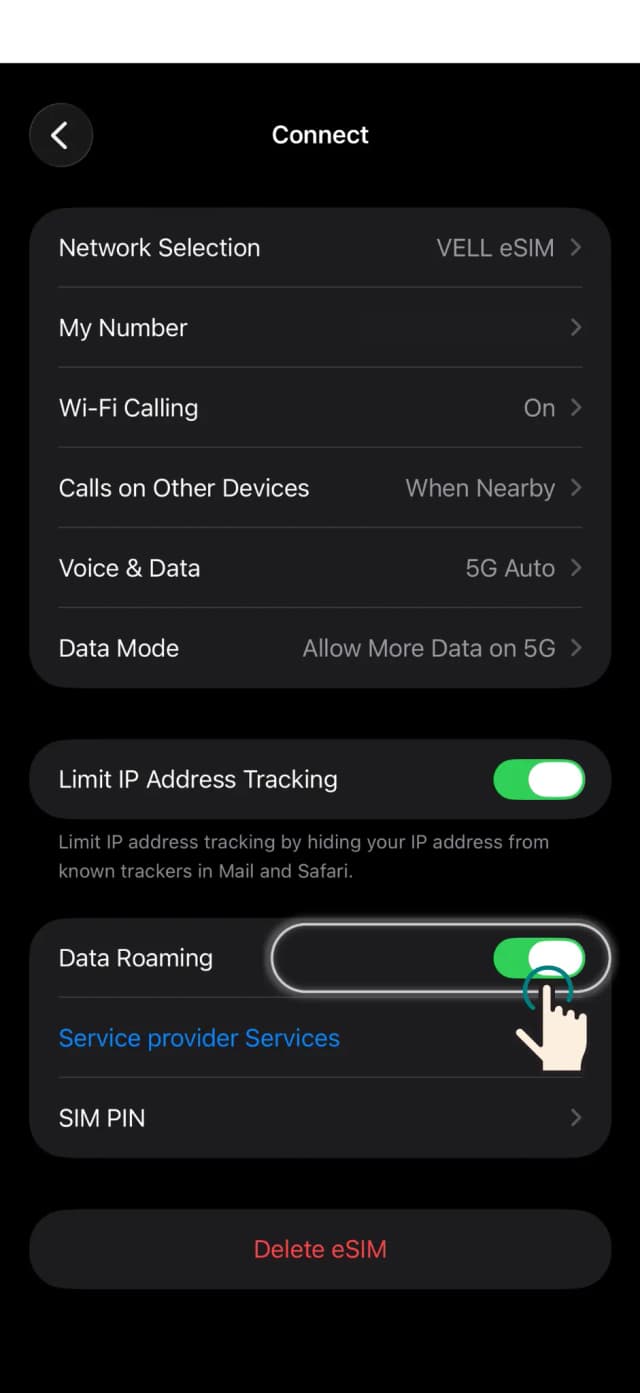
Go to Settings › Mobile. Scroll to the SIMs section and find VELL eSIM (or the name you gave it). It may show 'Off' until you enable it.
Note
Showing as Off is normal — you'll turn it on in the next step.
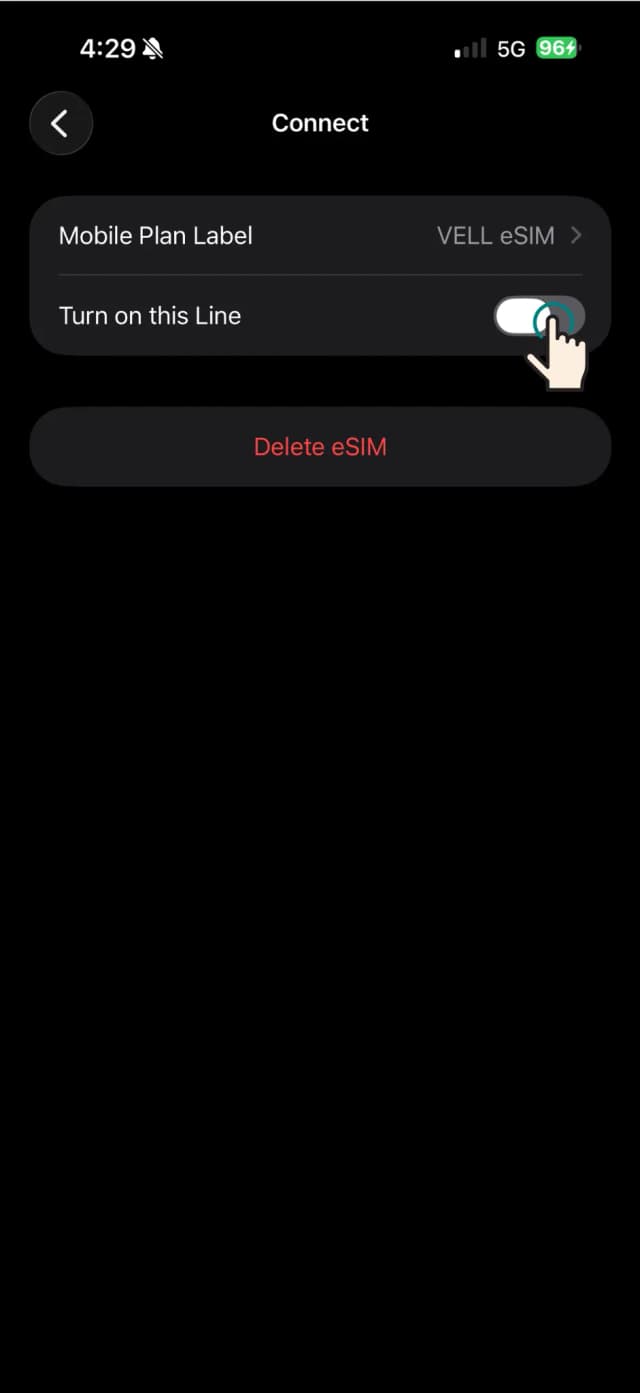
Tap on the VELL eSIM row to open its detail screen, where you'll see the Mobile Plan Label and Turn on this Line toggle.
Note
If it shows Off next to the name, you'll need to enable the toggle.
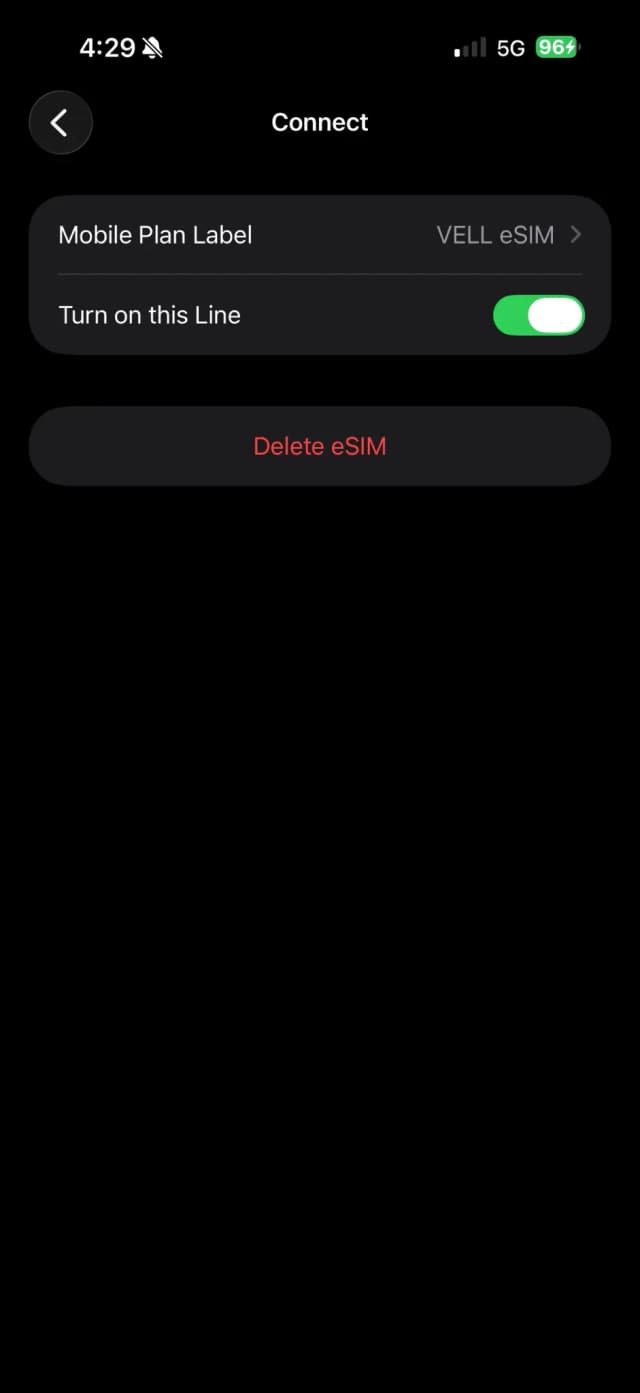
Tap Turn on this Line to switch it on (green). Your iPhone will connect to the Vell network within a few seconds.
Note
Watch the signal bar in the status bar — it'll change once the line is live.
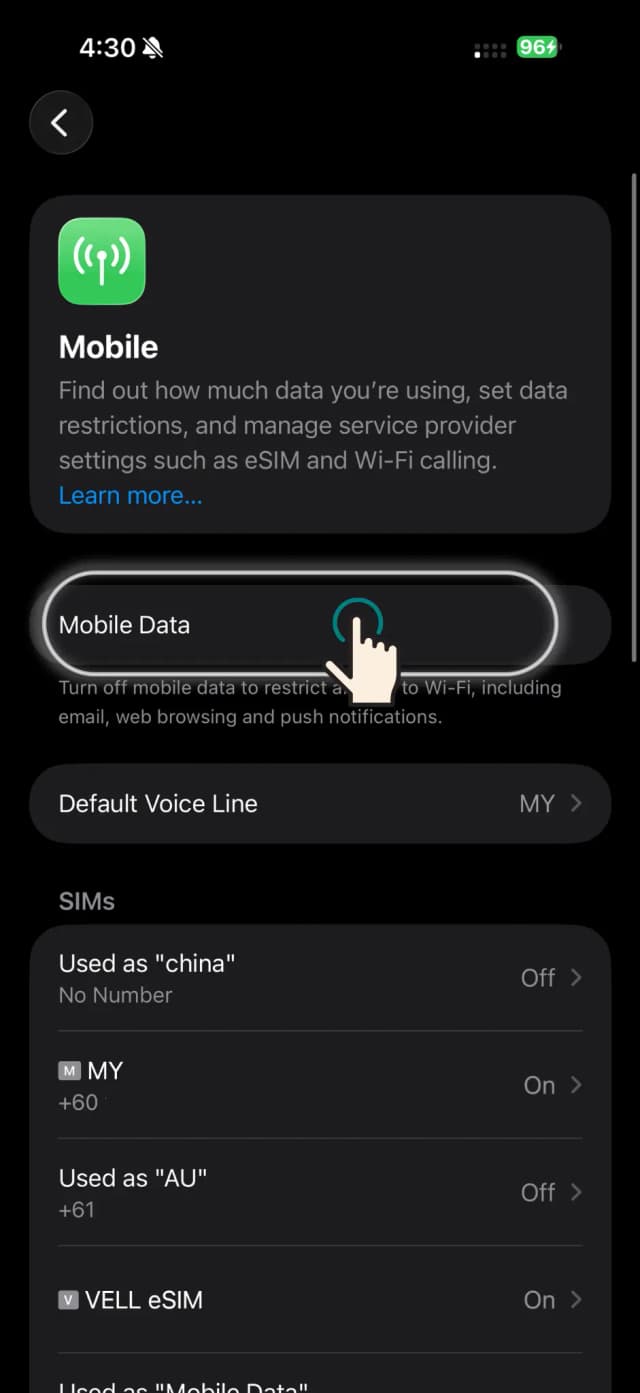
Back on the Mobile screen, tap Mobile Data and select VELL eSIM. A blue tick confirms it's your active data line.
Note
Keep your primary SIM for calls and texts — use Vell eSIM for data only while travelling.
Your VELL eSIM is now active and set as your data SIM. Open a browser or map app to confirm you have connectivity.
Note
If you don't connect right away, toggle Aeroplane mode on then off to refresh the connection.
Once you land, go to Settings › Mobile › VELL eSIM and toggle Data Roaming on. This lets your Vell eSIM connect to local networks abroad.
Note
Vell data is pre-paid — turning on roaming won't add surprise charges to your Vell plan.